Their own camera.
Big discoveries.
Give your kids the camera and let them flash and go.
Flash & Go gives kids their own camera and a separate gallery. Take photos and videos, try filters, decorate with stickers, and draw on favorite shots. Parents choose what to save to the Camera Roll and when the rest gets cleaned up.
- A separate gallery
- Works offline
- No ads
- Parent controls
A gallery all their own
Every photo starts in the app. Kids can enjoy their discoveries while parents choose which favorites to save to Photos.
Their own private space
Photos and videos start in the app's separate gallery. The app does not browse your personal photo library.
Cleanup you control
Set a retention schedule and storage budget. Old unprotected captures are cleaned up automatically. Protected favorites may exceed the budget.
No access to your library
The app does not browse your personal photo library. Add-only Photos permission is requested when a parent enables saving favorites.
Save only the favorites
Love a shot? Star it and export it to your Camera Roll with a parent-only tap. You choose the handful that make the cut.
See Flash & Go in action
A real camera built for little hands — and a private gallery that stays out of your way.
-
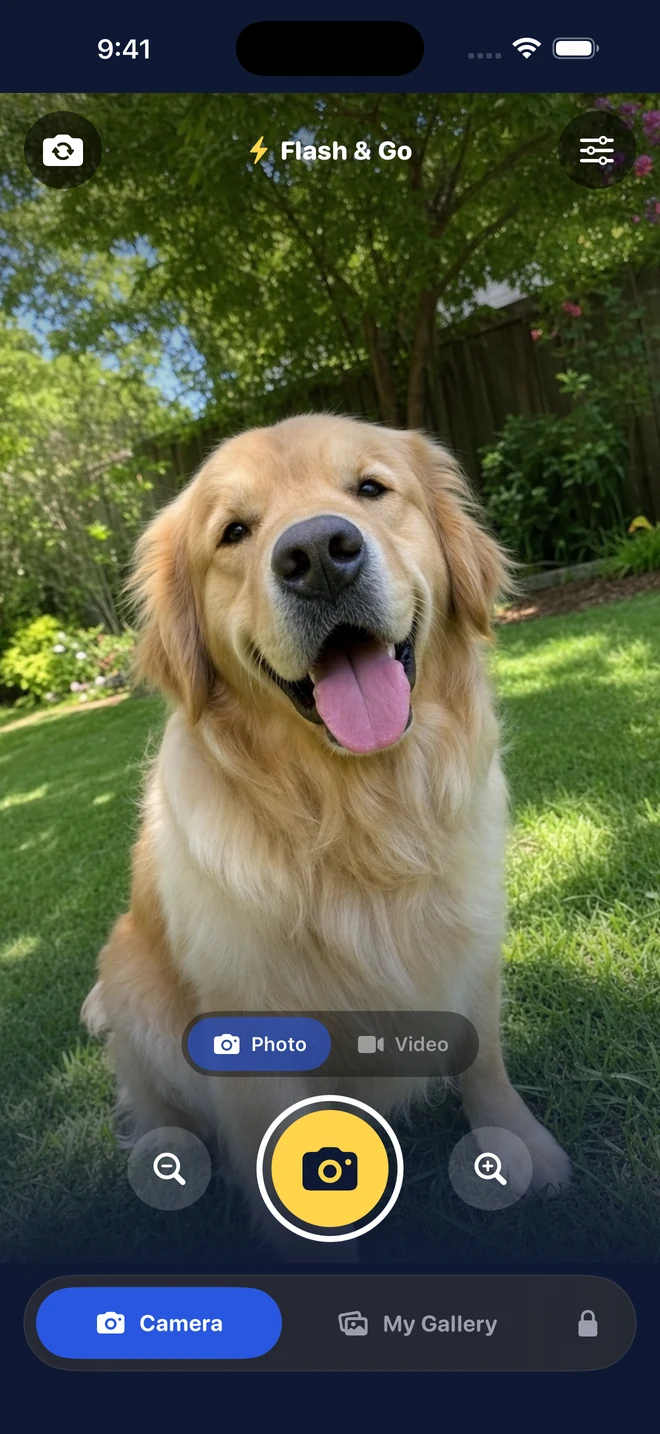
Camera
-
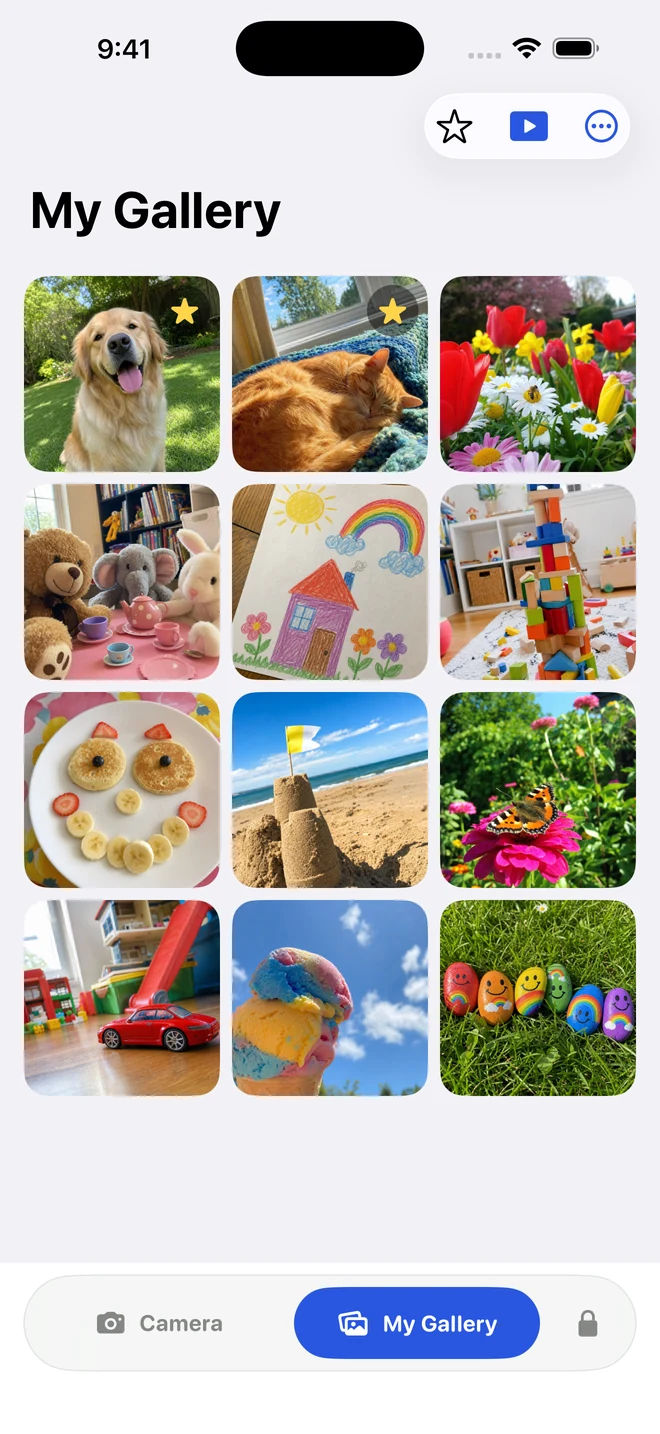
Their gallery
-
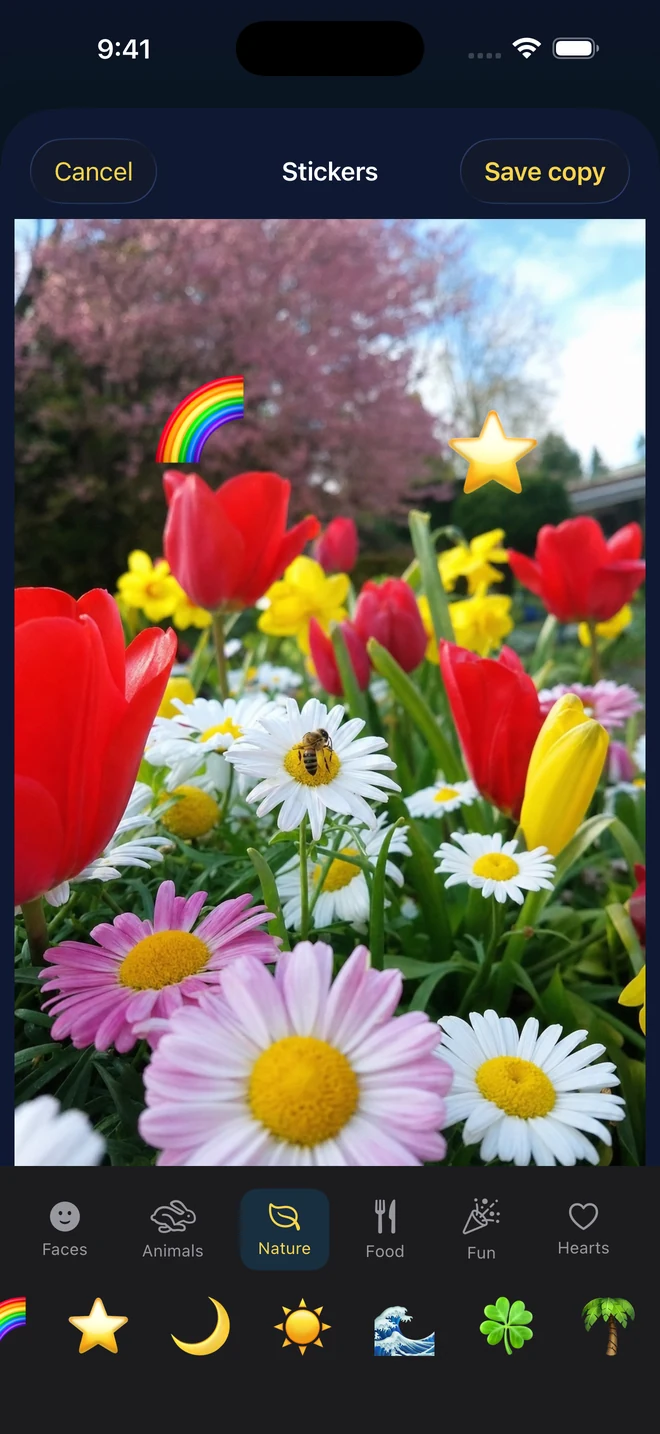
Make it theirs
-
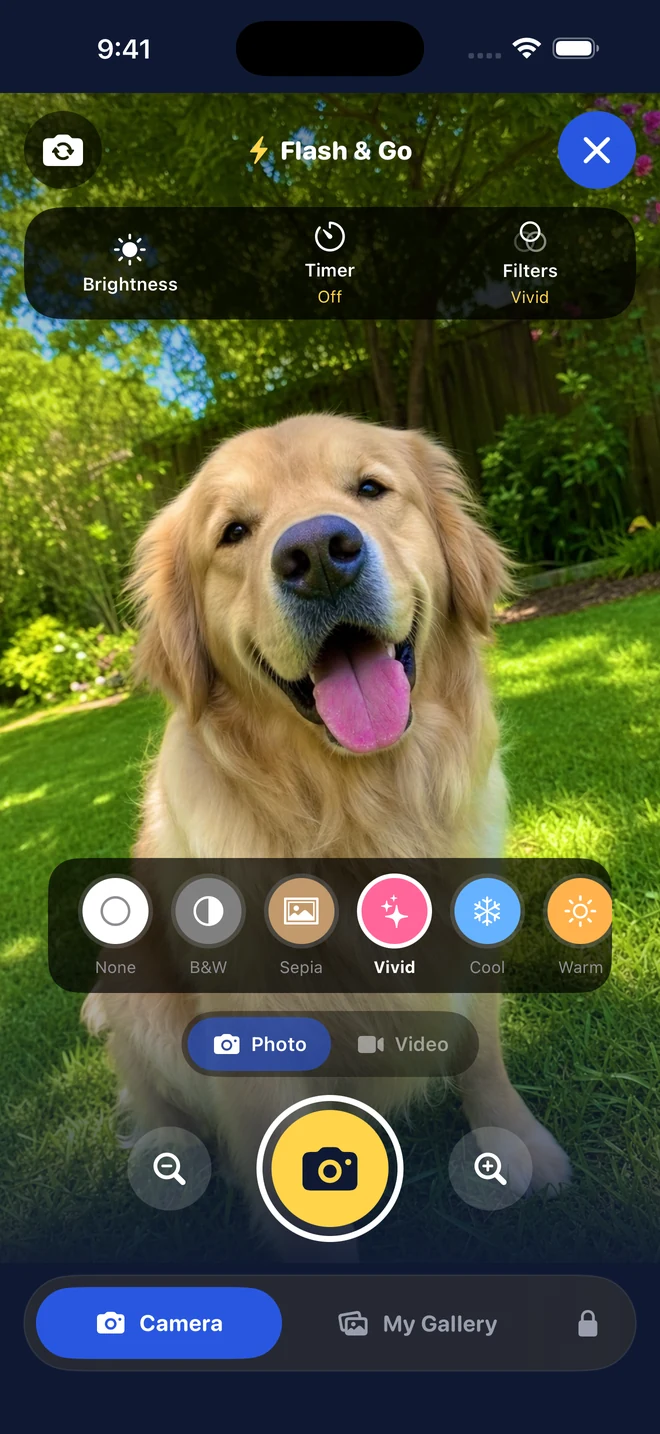
Photo filters
-
Parent controls
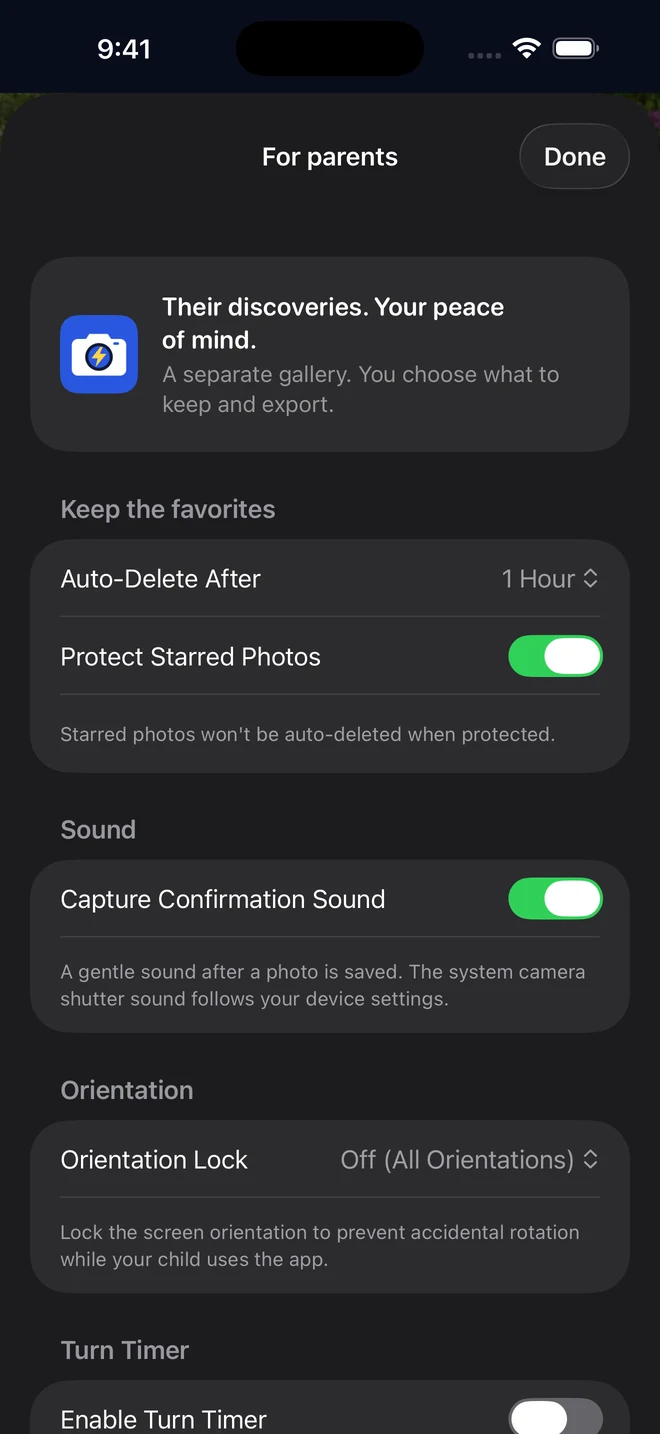
Peace of mind in your pocket
Give kids a space to create, with a separate gallery and parent-controlled saving. Use iOS Guided Access separately if you want to keep them in one app.
You stay in control
-
Protected parent settings
Parent settings require Face ID, Touch ID, or your device passcode. You choose cleanup, saving, and sharing preferences.
-
Automatic cleanup
Choose a retention schedule, storage budget, and photo count limit. Protected favorites may exceed the storage budget.
-
Separate from your Camera Roll
Every photo lives in the app's own private sandbox — not mixed in with your personal library.
-
Keep the keepers
With favorite protection enabled, starred captures are kept during cleanup. Save important memories to Photos before deleting the app.
Privacy, clearly explained
-
No tracking
No advertising identifiers, cross-app tracking, or third-party analytics SDKs. Optional anonymous usage counts are off by default.
-
Works offline
No internet needed to take photos — airplane mode changes nothing for your child's camera.
-
Fair sharing
A turn timer counts down and alerts each sibling when it's their turn behind the lens.
-
Free to download, ad-free
No ads, in-app purchases, or accounts. Parents control optional anonymous usage sharing.
Thoughtful features, top to bottom
Capture, create, and enjoy their discoveries. You handle the settings.
Full camera
Front and rear capture for photos and video, with brightness, zoom, and camera controls.
Creative toolkit
Try photo filters, then decorate saved photos with stickers, drawing, and frames.
Self-timer
3-second and 10-second countdown modes for hands-free group photos.
Kid-friendly gallery
Zoomable full-screen viewer and slideshow, with no delete or share buttons.
Turn timer
Counts down and alerts each child so siblings share the camera fairly.
Configurable retention
Session-only, 1 hour, 12 / 24 / 48 hours, or 7 days — you decide how long photos stay.
Star favorites
Star the best shots. When favorite protection is on, cleanup leaves them in the gallery.
Save to Camera Roll
Optional, parent-authenticated export of starred photos to your device library.
Orientation lock
Lock to portrait, landscape, or leave it free — whatever suits your child.
Storage budget
Choose a gallery storage budget in Parent Settings. Protected favorites can exceed it.
Dynamic Type
Parent settings and supported labels use your preferred system text size.
Reduce Motion
The app reduces decorative motion when Reduce Motion is enabled.
Their photos stay on your device
Photos stay on the device unless a parent exports them, subject to your cleanup settings. Version 1.1 adds an optional parent control for sharing limited anonymous usage counts.
Your choice to share
Optional daily usage counts help improve the app. Sharing starts off and never includes photos, audio, names, location, or persistent identifiers.
Works offline
No internet is needed to take photos, browse the gallery, or use creative tools.
Local photo storage
Photos and videos stay in the app until a parent exports them. Device authentication protects parent settings.
No third-party SDKs
No advertising or third-party analytics SDKs. No cross-app tracking or advertising identifiers.
Read the full details in our Privacy Policy and Terms of Service.
Frequently asked questions
Captures start in the app's gallery. A parent can save chosen favorites to Photos. The app still uses device storage; cleanup follows your settings, and protected favorites may exceed the budget.
Flash & Go has no in-app purchases or ads. Check its App Store page for current availability and pricing.
Photos and videos are stored in the app on your device until a parent chooses to save favorites to Photos. Exported items follow your Photos and iCloud settings.
Choose session-only, 1 hour, 12, 24, or 48 hours, or 7 days. Unprotected captures are removed when cleanup runs. With favorite protection enabled, starred items are kept and may exceed the storage budget. Session-only clears prior sessions at the next launch.
Parent settings require Face ID, Touch ID, or your device passcode. There is no separate app PIN. Use iOS Guided Access separately if you want to keep a child in one app.
Taking photos, reviewing the gallery, and editing work offline. If a parent enables anonymous usage sharing, the app sends limited daily counts when online. Sharing is off by default. Photos and videos are not included.
Flash & Go is made for children to explore photography with simple camera controls and creative tools. A parent configures saving, cleanup, and other preferences.
Give your kids the camera and let them flash and go
A separate gallery, playful creative tools, and parent-controlled saving. No ads, in-app purchases, or accounts.